Your AI Study Companion

Every note.
Every sketch.
One mage.

Text notes, infinite canvas, flashcards, quizzes, and a personal AI tutor — all living inside one magical notebook.

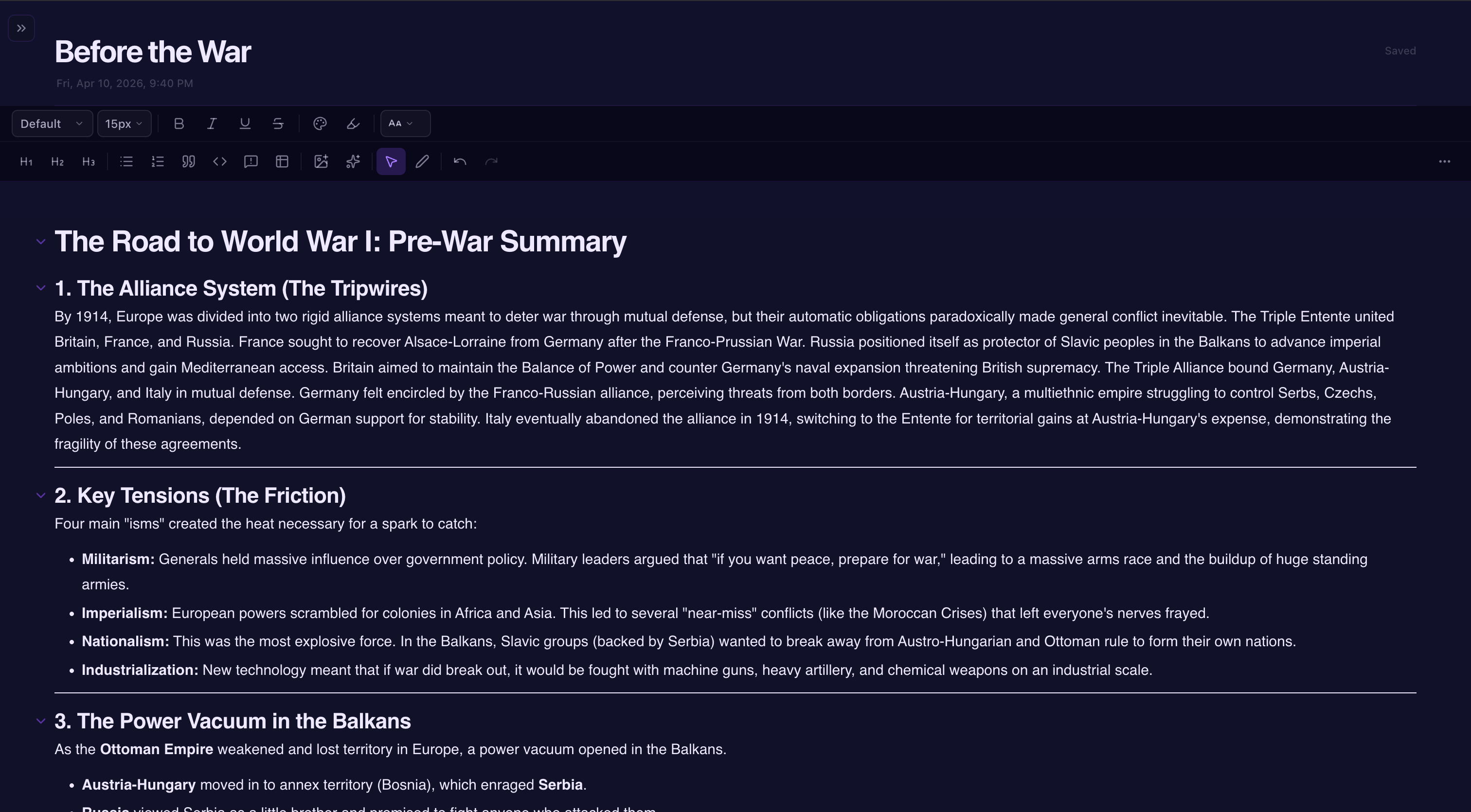
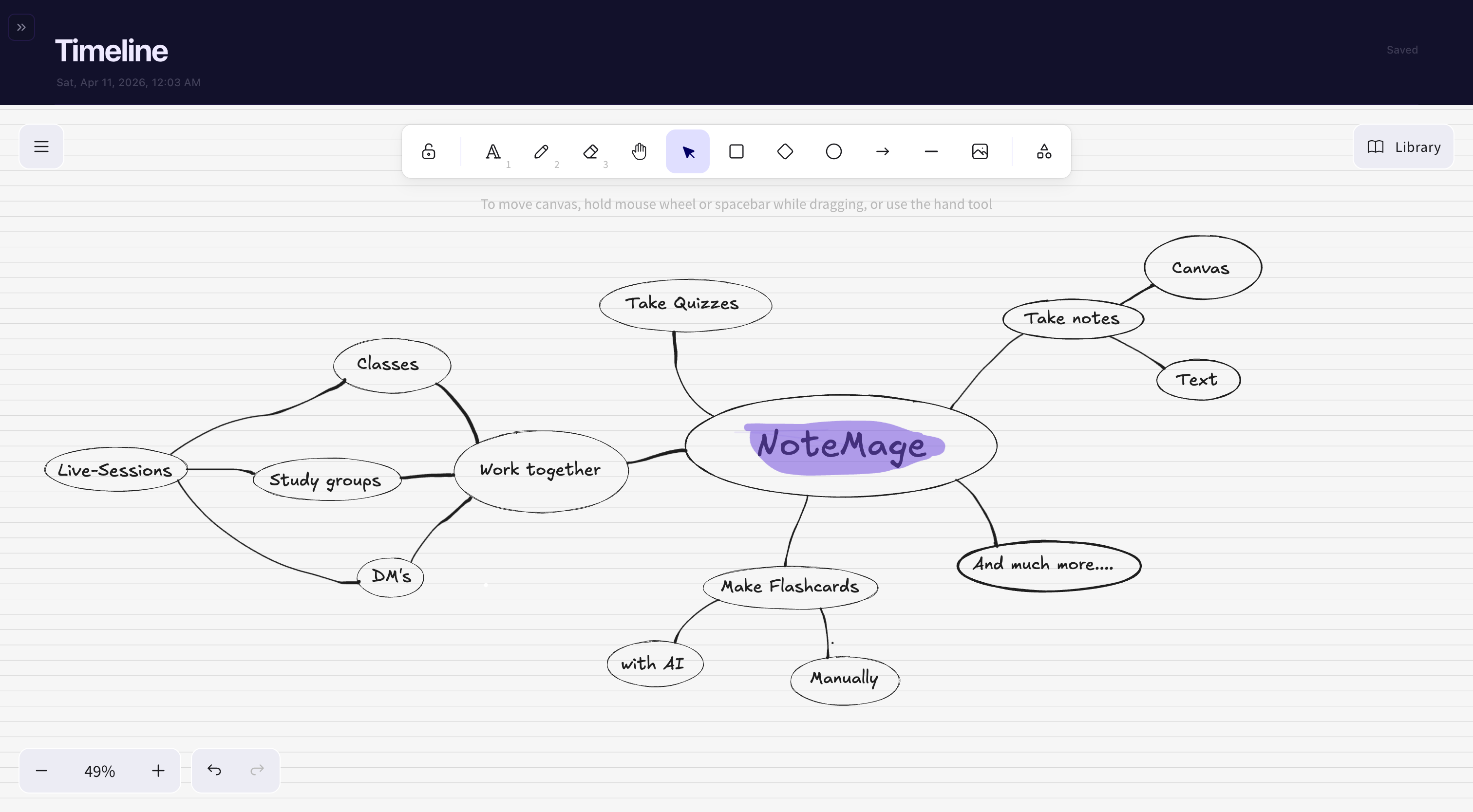
Type it, or draw it.

Some ideas are words. Others are arrows and doodles. Notemage supports both, inside every notebook, without ever switching tabs.
Text notes

Write like a human

A rich text editor built for study sessions. Slash menu, markdown shortcuts, and inline AI that lives exactly where your cursor is.

Write like a human mockup
Algebra · Chapter 3
  • edit_noteSlash menu — type / for headings, lists, callouts
  • auto_fixInline AI rewrite, summarize, expand · Pro
  • folderNotebooks, folders, tags — organize your way
Infinite canvas

Draw like a wizard

A frictionless canvas for diagrams, sketches, and handwritten notes. Excalidraw under the hood, polished by us on top.

Draw like a wizard mockup
Anatomy · Sketchpad
  • drawInfinite canvas with pen, text, and eraser tools
  • palette6 pen colors, three widths, custom backgrounds
  • stylusStylus eraser on Surface, Wacom, and S Pen devices

Meet your personal tutor.

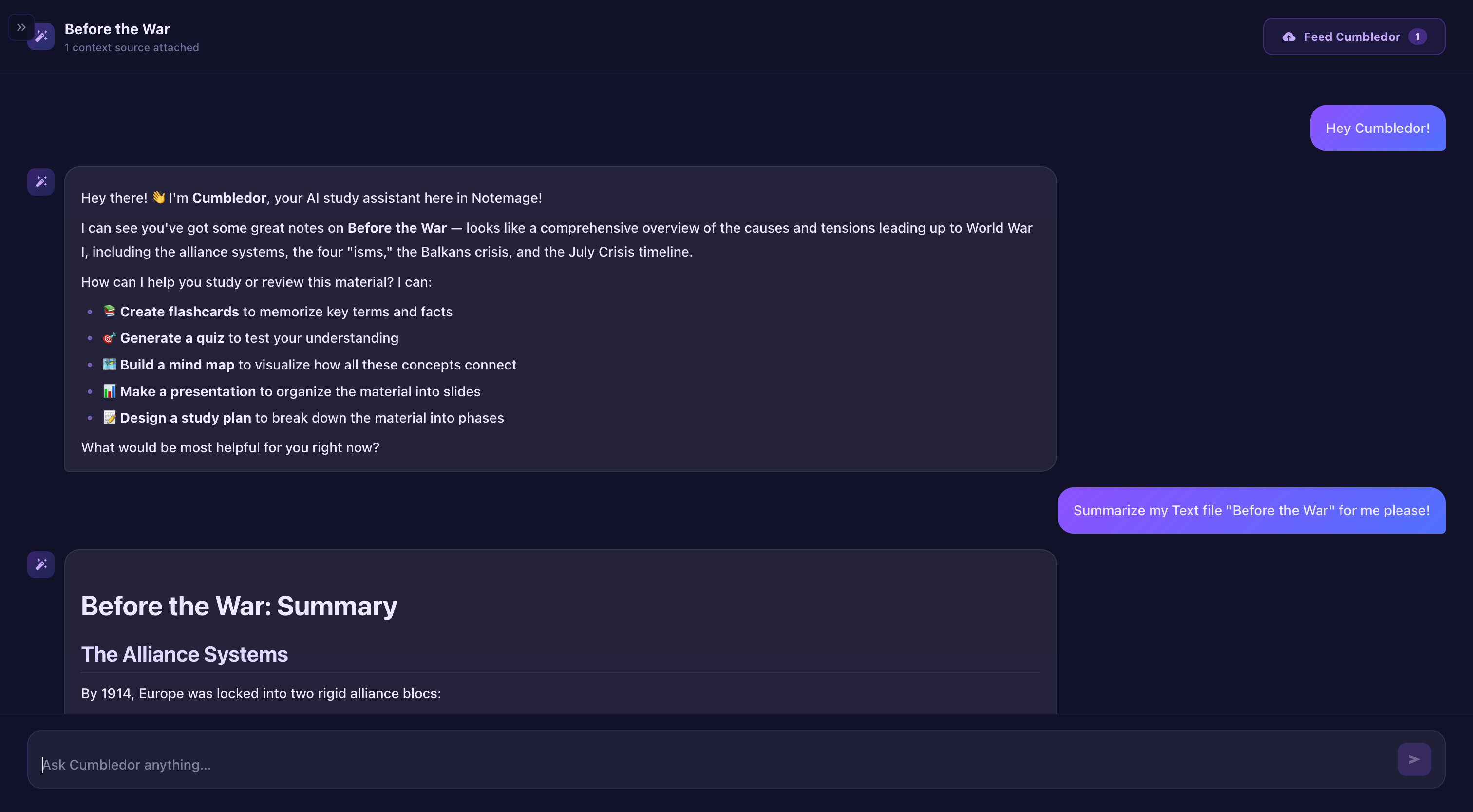
Ask anything, anywhere in your notebook. Mage reads your pages, your PDFs, your slides — and answers with citations you can actually trust.

boltPowered by Claudeformat_quoteCites your pagesquizGenerates quizzes + flashcards
Notemage AI chat with your notes
Personal Mage
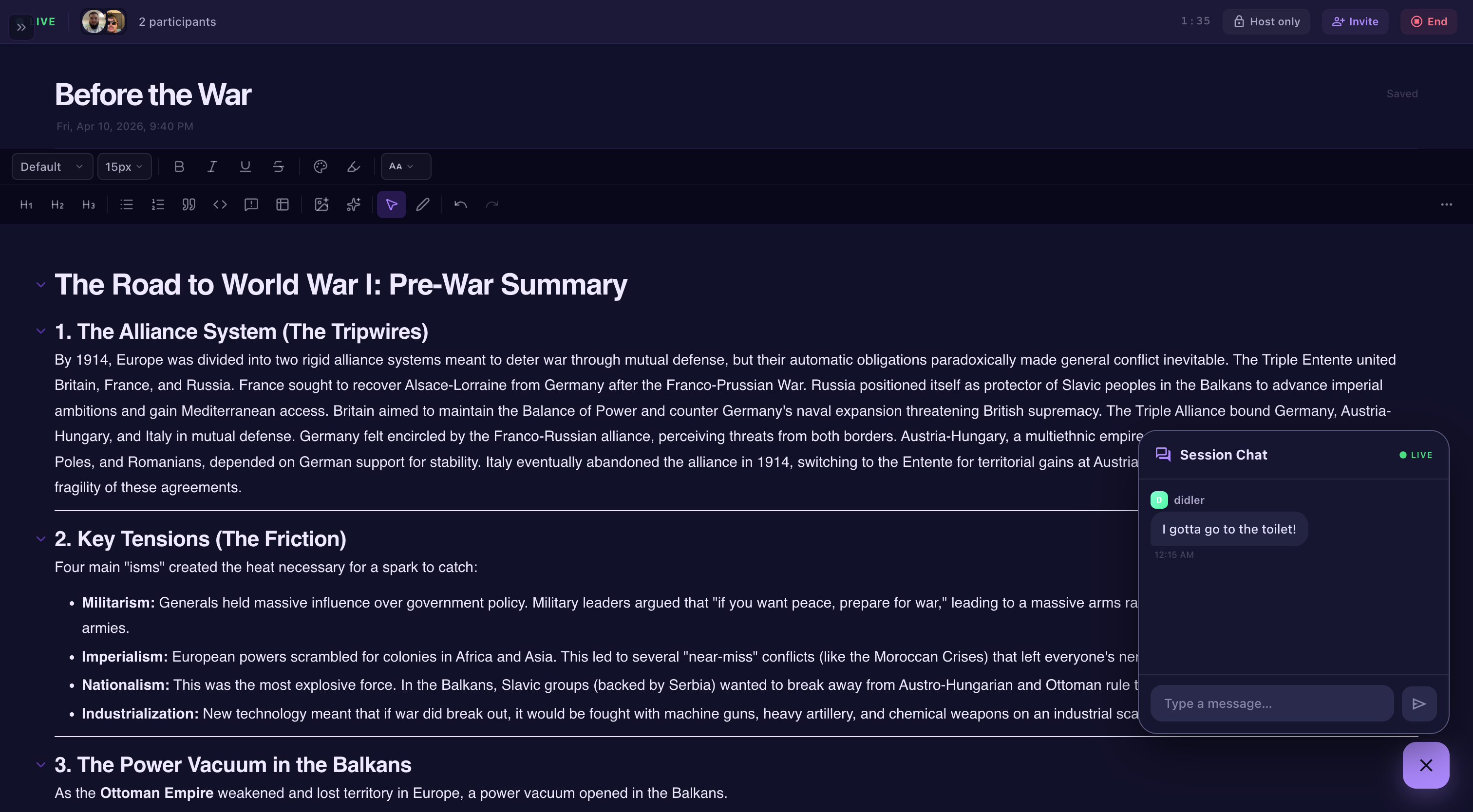
Notemage live co-working session
Live session
Now live · Co-working

Study alone. Together.

Host a session, share a link, and watch your friends move through the notebook with you. Live cursors, page locks, and side chat — all in the same notebook. Available today.

  • visibilityLive presence dots
  • lockPage locking
  • chatSide chat + reactions
  • linkOne-link invites

All your study tools, one tap away.

Turn any page into a quiz, a flashcard deck, a mind map, or a polished slide export — without opening a single other app.

style
Spaced repetition

Flashcards

Generate a deck from any page in seconds. Hints, explanations, and image support built in.

Explorearrow_forward
quiz
Test yourself

Quizzes

Multiple choice with hints, explanations, and attempt history. Perfect for exam week.

Explorearrow_forward
slideshow
One-click export

Slides (.pptx)

Turn any set of pages into polished PowerPoint slides — ready to present.

Explorearrow_forward
account_tree
Visual learning

Mind maps

Hierarchies and connections auto-rendered from your notes via markmap.

Explorearrow_forward
event
Stay accountable

Exam countdown

Add exams, get daily goals, and watch a countdown that keeps you moving.

Explorearrow_forward
local_fire_department
Stay consistent

Streaks + Achievements

Build a daily streak, rack up achievements, and unlock cosmetics for your profile.

Explorearrow_forward
timer
Focus sprints

Pomodoro

25-minute sprints with built-in breaks. Stay locked in without leaving your notebook.

Explorearrow_forward

Built like an app you’ll actually open.

The small things that don’t fit on a carousel but make the day-to-day feel good.

groups
Community

Friends + study groups

Send friend requests, build study groups, and share notebooks with the people who are actually in your class.

phone_iphone
Cross-device

Phone + laptop + tablet

Your notebook follows you. Everything syncs instantly, offline-friendly.

download
Export everything

PDF, PPTX, Markdown

Never locked in. Export any notebook as PDF, PowerPoint, or plain markdown — including your flashcards, quizzes, and mind maps.

Three steps to your first spell.

No tutorial hell. You'll be studying with AI in under 60 seconds.

menu_book
Step 01

Create a notebook

Start from a template or a blank page. Group your notebooks into folders, tag them, pick a cover.

upload_file
Step 02

Upload your material

Drop in PDFs, slides, Word docs, or paste text. Notemage parses them and makes them searchable.

auto_awesome
Step 03

Study with your Mage

Ask questions, generate flashcards, build quizzes, export slides. Your personal tutor lives here.

Your next exam
starts here.

Free forever. No credit card. 60 seconds to your first notebook — and your first spell.